For Garmin Connect · iPhone and iPad
Everything your watch recorded, in Apple Health.
Legato brings the activities from your Garmin watch into Apple Health with the detail it recorded: every heart rate reading, the route, power, cadence, laps and pauses.
Coming soon to the App Store
Requires iOS 18 or iPadOS 18 or later.
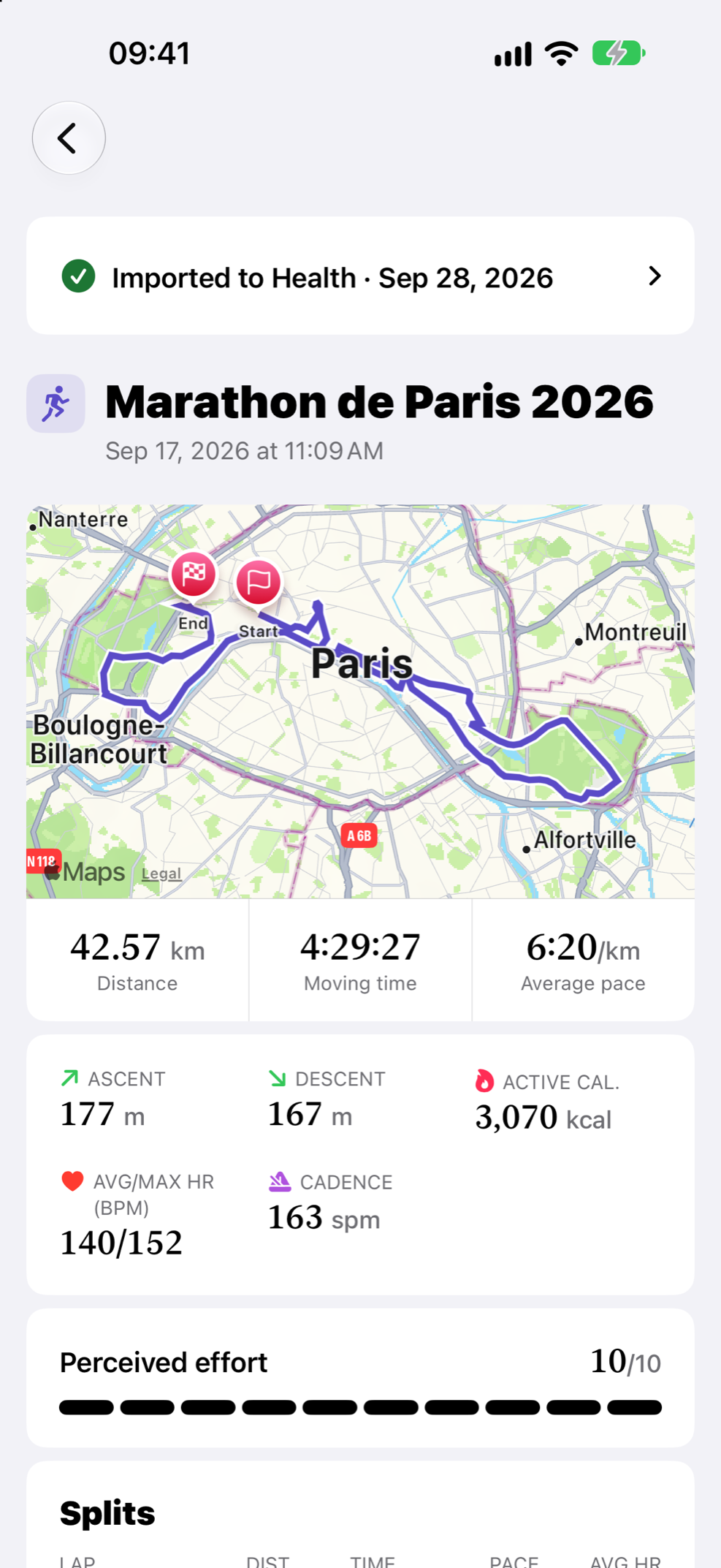
- Heart rateevery reading
- Routewith altitude
- Laps and pausesas recorded
- Imported to Health
Why Legato exists
I’m Jérôme, an independent developer and a triathlete. During a race my watch records a lot: every heartbeat, every lap, the route, the power, each pool length.
The standard sync to Apple Health wasn’t carrying what I needed.
So I built the app I wanted. Legato takes the original file of each activity from Garmin Connect and writes all of it that Apple Health has a place for.
— Jérôme, maker of Legato
Complete, exactly as your watch recorded it
Legato reads the original file of each activity from Garmin Connect and writes the measurements Apple Health has a place for, reading by reading.
Heart rate
Every reading, and your heart rate and power zones from iOS 27.
Route
The GPS track with its altitude, on the map in Fitness.
Power and speed
Every reading, where Apple Health has a type for them.
Cadence
Steps on foot, crank revolutions on the bike.
Running dynamics
Stride length, ground contact time and vertical oscillation.
Laps, pauses and intervals
Each lap, each automatic pause and each workout step you followed.
Pool lengths and strokes
Each length with its stroke style.
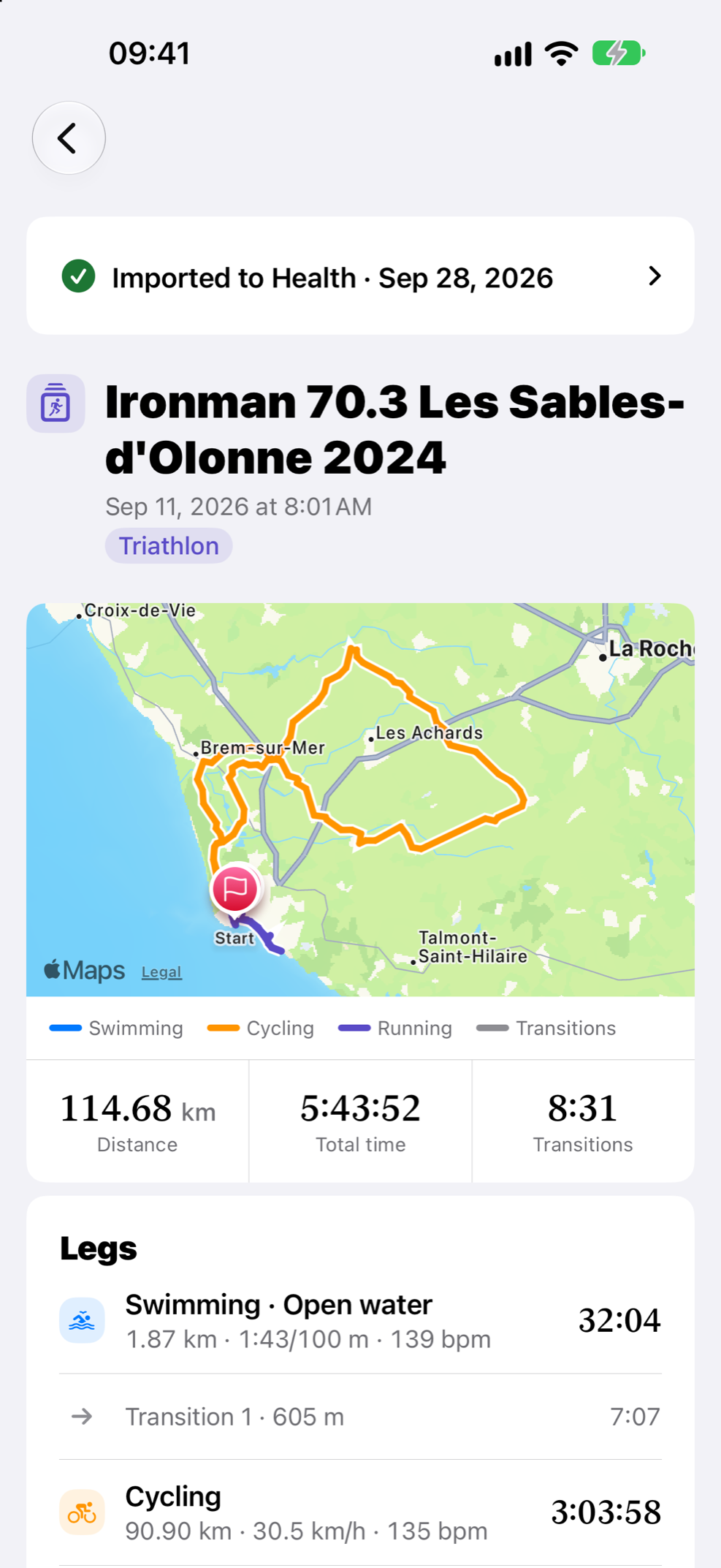
Multisport legs
Each leg and transition of a triathlon, a duathlon or a swimrun.
Ascent, descent and weather
The watch’s own totals, with the temperature and humidity from Garmin Connect.
Calories, VO2 max and FTP
Active and resting calories as the watch split them, and the day’s VO2 max and FTP.
Effort
The perceived effort you entered after the activity.
What Apple Health has no place for stays visible in Legato.
Readiness and Training Load, up to date
Training Load in Fitness weighs each workout by its duration and effort. Legato writes both, with the effort you rated on your watch, so your Garmin workouts count in it.
Training Load
Garmin workouts you rated on your watch count in Fitness, next to the ones your Apple Watch records.
Readiness
On Apple Watch Series 12 and Ultra 4, the daily Readiness score takes these workouts into account too.
Private: your sign-in and activities stay in the app
Your Garmin password is not kept
It goes to Garmin once, to sign you in. The session Garmin returns stays in the iOS Keychain.
Your activities stay on your device
They go from Garmin Connect to your iPhone or iPad, then to Apple Health. We never receive them.
No account to create
You sign in to Garmin Connect, nothing else.
No ads
Legato shows no ads and sells nothing about you.
Yours everywhere in Health
Once in Apple Health, your activities are workouts like any other. Fitness shows them with their route and heart rate, and every app you allow to read Health can use them.
Supported activities
Legato imports these Garmin activity types today. Others appear in the list as not supported yet.
Running
Road, trail, track, treadmill and virtual.
Cycling
Road, gravel, mountain, e-bike, indoor, virtual and hand cycling.
Walking and hiking
Including mountaineering and rucking.
Swimming
Pool and open water.
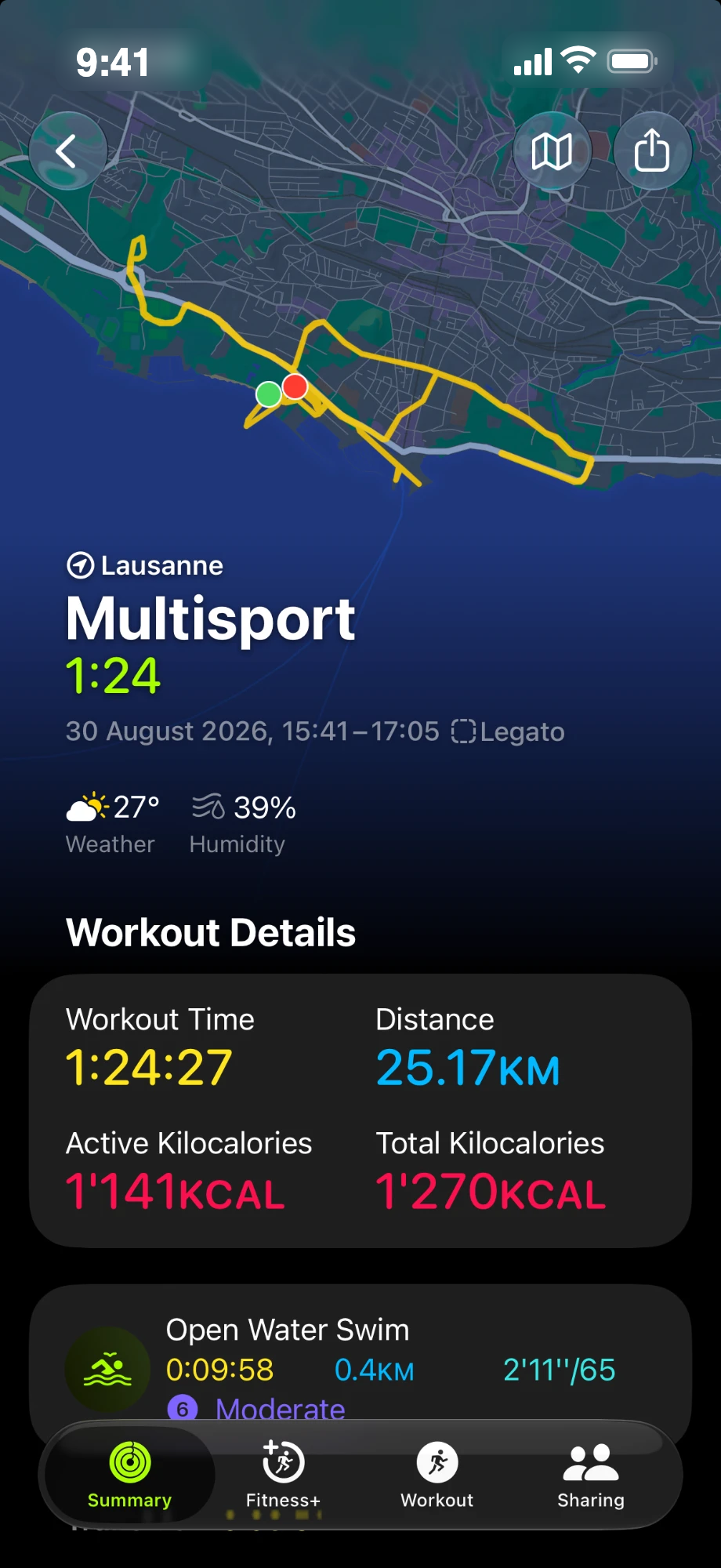
Multisport
Triathlon, duathlon, swimrun and brick sessions.
Strength and HIIT
Strength training and high-intensity interval training (HIIT).
Indoor cardio
Indoor cardio, indoor rowing, elliptical, stairs and jump rope.
Body and mind
Yoga, Pilates, mobility, meditation and breathwork.
Climbing and dance
Indoor climbing, bouldering and dance.
In your language, for everyone
Legato speaks 11 languages: English, German, French, Spanish, Italian, Portuguese (Brazil), Dutch, Swedish, Japanese, Korean and Chinese, simplified and traditional.
It is built for accessibility from the start: VoiceOver labels, Dynamic Type at every size, Increase Contrast and Reduce Motion, and charts and routes you can explore without seeing them. On iPhone and iPad, in any window size.
How it works
Sign in to Garmin Connect
In the app, with Garmin’s two-step verification if you use it.
Choose your activities
Recent ones first, older ones when you ask. One or several at a time.
Import
Legato downloads each original file and writes it to Apple Health.
Your watch keeps syncing to Garmin Connect as usual.
Questions
Does Legato work with my Garmin watch?
Yes, if your watch syncs its activities to Garmin Connect. Legato reads them from your Garmin Connect account, not from the watch, so any Garmin device that syncs to Connect works, for the activity types listed above.
How is it different from Garmin’s own Apple Health sync?
Legato starts from the original file your watch recorded and writes everything Apple Health supports: every heart rate reading, the route, power, cadence, running dynamics, laps, pauses, pool lengths and each leg of a multisport activity.
Does Legato ever receive my sign-in details or activities?
No. Your Garmin credentials go only to Garmin, to sign you in, and your activities only to Apple Health on your device. We never receive them.
Can I import activities recorded before I installed Legato?
Yes. The list starts with your recent activities; Load More brings older ones.
Which devices does Legato run on?
iPhone and iPad with iOS 18 or iPadOS 18 or later.
Is Legato made by Garmin or Apple?
No. Legato is an independent app made by Jérôme, a developer in Switzerland. It is not affiliated with or endorsed by Garmin or Apple.
Bring your Garmin activities into Apple Health.
Coming soon to the App Store